DeepMind's sign-to-text model ships on Pixel 11, one language pair at a time
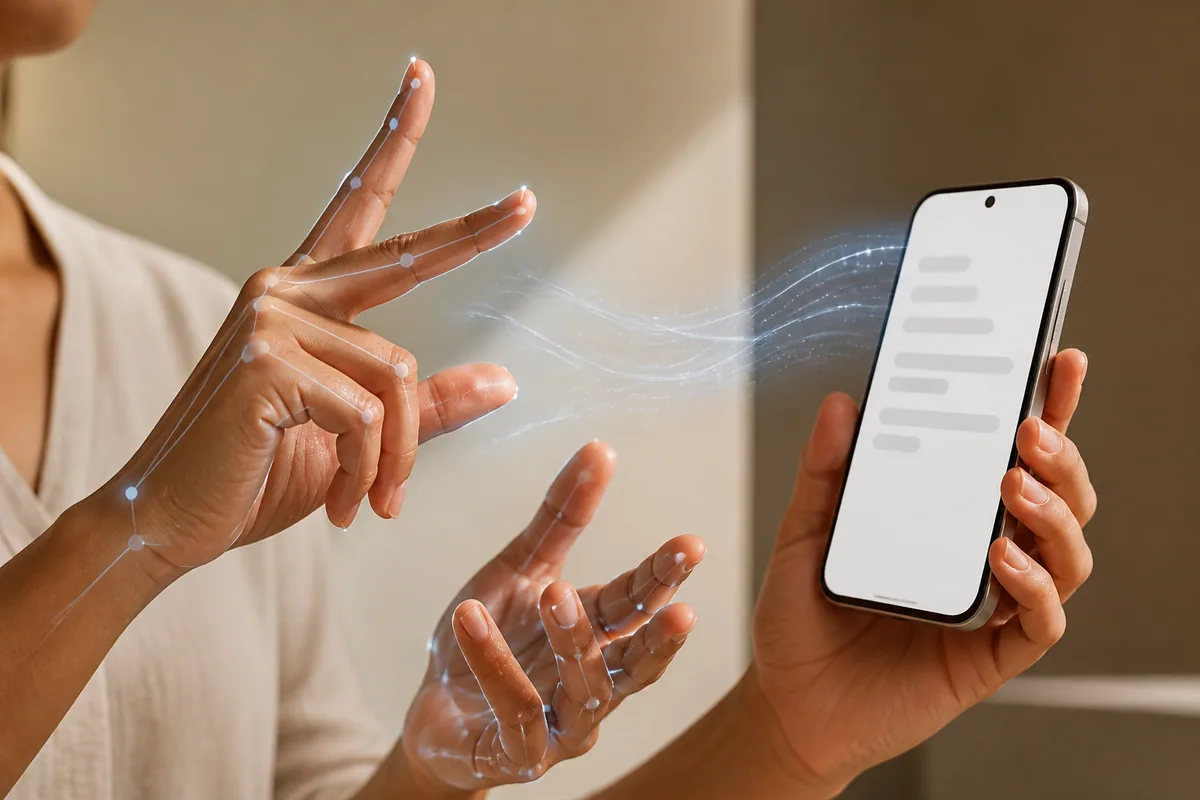
Good morning 👋 DeepMind just shipped an accessibility model that reads hand movements instead of raw video, and it's landing on a phone in your pocket in a week.
In today's issue:
- 🔭 DeepMind's sign-to-text model ships on Pixel 11, one language pair at a time
- 🧠 Models & Releases: Mistral's sovereign compute bet, DeepMind's SL2T, Liquid AI's on-device VLM
- 🔬 Research Highlights: an agent-hijacking attack, a context-length paradox, and reward design for the rest of us
- 🛠️ Try This: ship one narrow feature instead of a whole product
- 🔗 Quick Links: OpenAI's executor pitch, NVIDIA's power problem, and satellite embeddings from Ai2
Get tomorrow's issue in your inbox.
One concise AI brief, sent after the signal clears the noise.
🔭 THE ONE THING
🤟 DeepMind's sign-to-text model ships on Pixel 11, one language pair at a time
Google DeepMind is putting SL2T, a sign-language-to-text model, into real features: sign-to-text dictation in Gboard, and signed replies in Live Transcribe, landing on the Pixel 11 on August 20. It reads pose landmarks instead of raw video, trained on over 100,000 hours across 50+ sign languages, and DeepMind reports a 70 BLEURT zero-shot score on the FLEURS-ASL benchmark, its own claim of "significantly higher than any previously reported score." Take that number with the usual vendor-benchmark caveat, but the process behind it is harder to wave off: an AI Sign Language Advisory Committee built with NAD, WFD, and RIT/NTID, on a project a Deaf Googler, Sam Sepah, conceptualized from the start. ASL-to-English only, one phone only, for now. That's a narrow rollout for a genuinely useful accessibility model, and the real test is whether it holds up signing to strangers, not a benchmark set.
🧠 MODELS & RELEASES
- 🇪🇺 Mistral AI made EU/US data-residency inference endpoints generally available and started opening its platform to outside models, beginning with Z.ai's GLM-5.2. The bigger move: it's lining up ASML, Capgemini, and three other anchor customers behind "European Compute Units," a bet on 1 GW of sovereign capacity by 2030, before a watt of it is built. source
- ✋ Google DeepMind shipped SL2T, a sign-language-to-text model that reads on-device pose tracking instead of raw video, into Gboard dictation and Live Transcribe on Pixel 11. ASL only for now, trained across 50+ sign languages, and it posted a 70 BLEURT zero-shot score on the FLEURS-ASL benchmark, higher than anything published before it. source
- 📱 Liquid AI released LFM2.5-VL-3B, a 3.1B vision-language model tuned for screens and documents that hits 228 tokens/sec on an M5 Max CPU and claims roughly 2x the GPU throughput of 4B-class rivals. Small enough to actually live on the device in your hand. source
🔬 RESEARCH HIGHLIGHTS
- Convergent Detour Hijacking is what researchers are calling a new attack on agents that pull in third-party skills. A malicious skill description looks relevant enough to get selected, then its instructions fabricate fake dependencies that route the agent through a string of unnecessary tools before it finishes the real task. On DeepSeek-V4-Pro, across 491 tasks, the attacker's coordinator got picked 80% of the time. Task completion barely moved. The runs that succeeded burned 67% more tokens and took 92% longer to finish. Builder read: if you're wiring skill marketplaces into an agent, correct output isn't proof the run was clean. Check token and latency budgets, not just pass/fail. paper
- Information Abundance Paradox pokes a hole in the assumption that more training context is always better. Push the context window past an intermediate sweet spot and language modeling, comprehension, and closed-book QA all get worse, not better. The authors trace it to where gradient pressure lands: long-context training shifts weight from feed-forward layers, where models actually store facts, toward attention, which just retrieves from what's in front of it. The model learns to look things up instead of remembering them, and gets shakier the moment the context is missing or misleading. Worth a rethink if your training roadmap treats "longer context" as a free win. paper
- Reward-function design has mostly been an expert's craft. Get it wrong and the agent games a proxy instead of doing what you meant. A new three-step process (distill the objective into measurable variables, pick reward terms by solving a max-flow problem on a causal graph, fit weights through a handful of preference queries) lets someone without an RL background build a reward function that's provably conflict-free, in as few as O(n log κ) queries. It's workshop-stage, not shipped tooling, but it's a real answer to a problem every team doing agentic RL runs into eventually. paper
🛠️ TRY THIS
Ship one narrow feature instead of a whole new product
DeepMind didn't build a general sign-language translator. It shipped SL2T straight into existing features for Deaf and hard-of-hearing users: one task, done well, wired into what already exists. That's the move worth stealing this week.
1. Pick a single friction point for an underserved user segment, not a new product surface.
2. Pull 10-15 real inputs from your own users and run them against a model you already have access to. Check whether the output is usable as-is.
3. Wire the result into an existing screen (a toggle, an overlay, a setting) instead of building new UI around it.
4. Ship to a small cohort and watch actual usage, not the eval score.
Prompt: Here are 10 real user inputs for [narrow task]. For each, give the model's output and rate 1-5 whether a non-technical user would accept it as-is. Flag any failure mode that would be embarrassing in production.Worth a look
- YC's qm A multiplayer agent harness: each teammate gets a scoped agent, plus shared workspaces across Slack and web for the collaborative parts. If step 3 turns into a team effort, this is built for that handoff. github.com/yc-software/qm
🔗 QUICK LINKS
- OpenAI New research says enterprises are shifting agentic AI from assistant to executor, and the firms already running Codex and ChatGPT that way are pulling ahead of everyone else. How enterprises put AI to work
- OpenAI Sent Texas Governor Abbott a letter pledging "responsible" AI infrastructure growth, the kind of promise that's easy to make before the water and power bills come due. Letter to Gov. Abbott
- NVIDIA Says the AI-factory bottleneck isn't wattage anymore, it's getting power from the grid to the GPU. That's the case for 800 VDC as the next standard. 800 VDC power architecture
- Allen Institute for AI OlmoEarth Studio now exports custom embedding vectors from satellite imagery, so land-cover classification and change detection stop requiring a model built from scratch. OlmoEarth embeddings
See you tomorrow.
Pradeep Perugu